Tuesday, May 03, 2005

Is Bluetooth past its prime?

Posted by David Berlind

“For over five years, two of the supposedly killer wireless technologies — Bluetooth and Wi-Fi — have been marching to the beats of their own drummers. Whereas before, the two wireless technologies had almost nothing in common with each other and were designed to address distinctly different needs, now the two technologies are addressing some of the same applications (wireless printing for example). Is it time to reconsider whether the market is best served with two wireless technologies where there could be one?

When it comes to Bluetooth — a wireless technology that has the applications it supports practically baked into it (using something called profiles) — and other wireless technologies like Wi-Fi that are application-independent (it’s up to application developers to make sure devices can understand each other), Michael Foley and David Reed are two men who do not see eye-to-eye on the past, the present, or the future.

Should Wi-Fi and Bluetooth merge and, if so, what would the new radio be called? BlueFi? WiTooth? In this edition of ZDNet’s IT Matters podcast series, I moderate as Foley and Reed go head-to-head in a debate over the merits of Bluetooth. The interview is available as both an MP3 download and as a podcast that you can have downloaded to your system and/or MP3 player automatically (see ZDNet’s podcasts: How to tune in). ”

http://blogs.zdnet.com/BTL/?p=1327

Sunday, May 01, 2005

Experts Foresee End of e-mail viruses

By Will Sturgeon, Silicon.com
Published on ZDNet News: April 28, 2005

The end is coming for viruses sent by e-mail, security experts at a London conference predicted on Thursday, saying the problem has had its day.

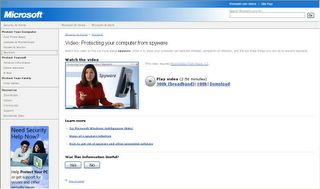
The most severe issue Internet users now face is the growing problem of spyware, said some attendees at the Infosecurity Europe conference, noting that the malicious software is ready to fill the void.

Dan Hubbard, senior director of Websense Security Labs, told CNET News.com's sister site Silicon.com that the number of e-mail-borne viruses is falling and will continue to do so. David Perry, global director of education at antivirus software maker Trend Micro, said these things come in ages and the age of e-mail viruses has simply come to an end.

Larry Bridwell, content security programs manager at ICSA Labs, added, "If you look at virus history, I liken it to the ocean. You stand by the ocean in California and see these great big waves coming in, getting bigger and bigger before they hit the shore. People are always going to surf each of those waves as it comes in."

"There's only so much you can do with e-mail. The problem people face now in using that to carry out any criminal act is that we know how e-mail works and we know how to stop it," he said.

Bridwell warned the problem of malicious code in other forms won't go away. "These waves don't die, that water goes back out into the ocean, and people will surf in on the next big wave."

Many at this week's Infosecurity Europe said they believed that spyware is the next wave. Pete Simpson, ThreatLab manager at Clearswift, said, "Spyware definitely seems to be the theme of the show."

But Simpson is not convinced the end of the e-mail virus has come just yet. ‘It's difficult to say whether it's not just a lull,’ he said. ‘We've certainly seen a stop in the large numbers.’ ”

http://news.zdnet.com/2100-1009_22-5688726.html?tag=nl.e539

The State of New York vs. The Adware Mob

By Larry Seltzer
Opinion: It's about time someone called a fraud a fraud. Adware vendors who install programs on users' computers without their true permission are stealing from those users.

“The main job of all state Attorneys General is to grandstand as part of a campaign for the Governorship, and Elliot Spitzer of New York is the king of this technique.

There have been many cases where, IMHO, he has gone way overboard. But give credit where credit is due. It's about time someone with heavy-duty prosecutorial authority took on the lowlifes in the adware business.

Given the vigilance with which Spitzer has prosecuted legitimate businesses, one would hope that he will leave no stone unturned in the pursuit of spyware and adware, which he describes as equally objectionable.

http://www.eweek.com/article2/0,1759,1790956,00.asp?kc=EWRSS03129TX1K0000614

Friday, April 29, 2005

Type Carefully!

Beware How You Google
By Ryan Naraine
“A simple misspelling of Google's domain name could lead to a Web surfer's worst nightmare.

In a new twist to the old practice of "typosquatting," virus writers have registered a slight variation of Google Inc.'s popular search-engine site to take advantage of any users who botch the spelling of the google.com URL.

The malicious site, googkle.com, is infested with Trojan droppers, downloaders, backdoors and spyware, and an unsuspecting user only has to visit the page to be at risk of computer hijack attacks, according to a warning from Finnish anti-virus vendor F-Secure Corp.

When googkle.com is opened in a browser, two pop-up windows are immediately launched with redirects to third-party sites loaded with scripts. One of the sites, ntsearch.com, downloads and runs a "pop.chm" file, and the other, toolbarpartner.com, downloads and runs a "ddfs.chm" file, F-Secure said.

"Both files are downloaded using exploits and they contain exploits themselves to run embedded executable files. One of the Web pages of the 'toolbarpartner.com' website downloads a file named 'pic10.jpg' using an exploit. This JPG file is actually an executable that replaces [the] Windows Media Player application," the warning reads.

The typosquatters also launch a steady stream of pop-up Web pages with different .exe files.

One batch of exploits loads a malware package that includes two backdoors, two Trojan droppers, a proxy Trojan, a spying Trojan and a Trojan downloader.

The exploits appear to be targeting users of Microsoft Corp.'s Internet Explorer browser. A spokeswoman for Microsoft told Ziff Davis Internet News that the rogue site was attempting to exploit some vulnerabilities that were fixed in past security updates.

"[Users running] Windows XP SP2 are protected from this. Also, users who are up to date on supported platforms are protected," the spokeswoman said.

http://www.eweek.com/article2/0,1759,1790348,00.asp?kc=ewnws042805dtx1k0000599

Sunday, April 24, 2005

Current calls for video submissions

Current, the new cable network being launched by former Vice President Al Gore, has begun soliciting contributions and launched a contest that will award the winner a development deal, including $3,000, to produce three short-form segments for the station. ”

Courtesy of CyberJournalist at http://www.cyberjournalist.net/

http://www.current.tv/

Wednesday, April 20, 2005

The Lame Blame of ActiveX

By Larry Seltzer
“Opinion: ActiveX gets a bad rap as the cause of all of Internet Explorer's security woes. But it's just not so.…

Old myths die hard! There's no doubt that Internet Explorer has more than it's fair share of security holes, but very few of them have to do with ActiveX. Seriously, of the perhaps hundreds of vulnerabilities of any import reported in Internet Explorer over the years, I bet you could count on two hands the number related to ActiveX.

As with programs that have nothing to do with ActiveX, the really serious bugs in Internet Explorer have been due to insufficient input validation between security zones or traditional buffer overflows. These are the staples of the vulnerability research business, and Mozilla and Firefox—and let's not forget Opera—have had their share of these, too.

While there has been a striking lack of actual evidence that ActiveX is unsafe, there has been no shortage of baseless assertions and cheap shots against it.

Let's review: What exactly is ActiveX and what does it do that's supposedly so dangerous? ActiveX controls are packages of code that can run in the context of the browser. They are installable through a link on a Web page. Exactly how different is this from having a link to an executable file that you have to explicitly run? Essentially not at all, except that the ActiveX version is more convenient. Even with Firefox you can download and run an executable file. Does this make Firefox unsafe? In fact, Mozilla and Firefox's support for XPCOM, a plain text and platform-independent software model, is very comparable to ActiveX once you get the user to click "Yes."

The complaint against ActiveX has always centered around the ability to install native code from across the Internet, but this is less unusual than it seems, and ActiveX arguably makes things more secure. When you encounter an object tag referencing a control that you do not have installed, you then have the opportunity to install it. Under the default security settings, you will be warned before this happens and given an opportunity to approve or reject the installation. There's more.

Sun actually paid someone to write a malicious ActiveX control. I was there at JavaOne when they demonstrated it (I think it was 1997). The test system brought up all the warning dialogs about the program that you usually get and the Sun employee actually had the nerve to keep whacking on the enter key quickly so they would close as quickly as possible and didn't mention that there were any such warnings.

From the very beginning, ActiveX has supported digital signatures of the code, and the user gets a chance to inspect the signature. The point of the signature is not to prove that the program is safe or honest, but that the authors of the program are who they claim to be. In a way this has been a failure because it needs to be easier to follow all the signature information provided by ActiveX to understand exactly what it proves. But the information is there for whoever wants to confirm it.

http://www.eweek.com/article2/0,1759,1785769,00.asp

Tuesday, April 19, 2005

Microsoft has created an online patch search that you can use.

“As information security awareness has grown over the past few years, the number of patches and updates being released has increased considerably. Although this is a positive step in plugging security holes, all of the patches and updates can overwhelm administrators.…”

http://www.microsoft.com/technet/security/current.aspx

Mozilla flaws could allow attacks, data access

By Munir Kotadia, CNET News.com

Multiple vulnerabilities that could allow an attacker to install malicious code or steal personal data have been discovered in the Mozilla Suite and the Firefox open-source browser.

Details of the nine flaws were published on Mozilla's security Web site over the weekend.

Ian Latter, senior security consultant at Internet security specialist Pure Hacking, said most of the vulnerabilities are based on the way the applications handle JavaScript.

"There are some permission issues related to running JavaScript at an escalated privilege level. They remove some of the security measures used to keep JavaScript sandboxed and allow it to potentially do malicious things to your computer," Latter said.

Another issue could allow malicious scripts to gain access to random pieces of memory, he said.

"This random memory may or may not contain pieces of information about where you have been browsing. The worst-case scenario is that it could contain some personal or login information," said Latter.

http://news.zdnet.com/2100-1009_22-5674883.html?tag=nl.e589

Tuesday, April 12, 2005

New threats show browser vulnerabilities don't play favorites

“Browser vulnerabilities are making the rounds this week, as different threats have surfaced for Mozilla, Firefox, Netscape, and Internet Explorer. In this edition of the IT Locksmith, learn more about these various threats, find out how you can best protect your organization from these vulnerabilities, and see what else has recently surfaced in the security world.

New vulnerabilities are haunting Mozilla, Firefox, and Netscape browsers, while different threats have surfaced in Outlook and Internet Explorer. Meanwhile, IM and P2P threats surge.

Details

Secunia has reported, and Mozilla has confirmed, an information disclosure vulnerability in the Firefox browser—including the latest update (version 1.0.2), which is only a few weeks old (released March 21). In fact, troubles for the increasingly popular browser are coming so fast and furious that mozillaZine has reported that a new Firefox release candidate has already replaced the Firefox release candidate 1.0.3, which became available on April 5.

Mozilla released the new release candidate (also designated 1.0.3) the very next day. Be forewarned that this release candidate 1.0.3, and probably the eventual release version as well, will likely cause problems with a number of extensions.

Below are links to Secunia's reports about each threat:

The information disclosure vulnerability exposes random memory areas to malicious Web sites, and users would never be aware of it. As you would expect, it's mostly ASCII garbage, but there are definitely real information disclosures too, so this is a very real threat.

Secunia offers a Mozilla Products Arbitrary Memory Exposure Test to help you determine if your system is vulnerable to the new vulnerability.

http://techrepublic.com.com/5100-10595-5659001.html?tag=fdlead1

Saturday, April 09, 2005

Friday, April 08, 2005

Bigger phishes ready to spawn

By Matt Hines, CNET News.com
“There's good news about phishing: The growth of new attacks has slowed. But that's only because attackers are building more sophisticated traps and using advanced technology to perpetrate online fraud, researchers say.

Last week, the Anti-Phishing Working Group, an online fraud watchdog, reported that the number of phishing e-mails it tracked between January and February grew by only 2 percent.

That figure seems to mark a significant lessening of the threat, given that the average growth rate has been 26 percent per month since July 2004. But during the January-February period, phishing attacks also became dramatically more complex, experts said.

Whatever form they take, phishing fraud schemes--including offshoots such as pharming, cross-site scripting and DNS poisoning--are getting smarter.

"Phishers are thieves, and thieves in the online world, as in the real world, are working very hard to separate personal financial information and other data from their victims," Microsoft attorney Aaron Kornblum said.

"People will continue to think up news ways to apply phishing techniques and deceive consumers," he said. "The sophistication is growing, and it's not that surprising at all."

New crooks, more-effective tricks
The first wave of phishing attacks played on the ignorance of unsuspecting consumers, spamming their in-boxes with e-mails that looked like they linked to Web sites belonging to banks, investment companies and e-commerce businesses such as eBay. In reality, they were fake pages designed to lure people into divulging account login data, or other sensitive personal information that could enable the crooks to commit identity fraud.

Recent attacks have gotten more sophisticated, with advances in phishing schemes that use e-mail and the creation of fraudulent Web pages that appear almost identical to their legitimate counterparts.

And new threats have arisen: Attacks based on instant messaging; ploys that use JavaScript technology to hide threats on legitimate Web pages; and new social-engineering strategies.

One of the most telling examples of improved social-engineering techniques is a recent attack that didn't seek to nab victims' names, addresses or Social Security numbers.

Instead, the scheme targeted customers of Salesforce.com, with the aim of stealing information stored on the company's databases.

Attacks designed to hit specific groups of people who hold valuable information will likely increase, said Jayne Hitchcock, a cybercrime specialist who advises law enforcement agencies and company executives about online fraud and author of the book "Net Crimes & Misdemeanors: Outmaneuvering the Spammers, Swindlers and Stalkers Who Are Targeting You Online."

"Sending a phishing e-mail out to everyone on the Web has had some effect, but not the kind of impact you imagine that some of these more custom-made attacks might have," Hitchcock said. "When you know that a certain group behaves a certain way, or is accustomed to getting information from a known source over e-mail, there's a greater opportunity to play on people's habits and get them to hand over the goods."

Schemes that use instant-messaging services rather than e-mail to distribute fake links are another new way of phishing, Hitchcock said. She pointed to an attack launched via Yahoo Messenger last month as an example. The messages often appear to be sent to IM users from someone on their contact list.

"The message is coming to them from someone on their buddy list," Hitchcock said. "That's a different level of threat than an e-mail sent from someone you don't communicate with on that medium, and it presents a much greater risk as well. Our research tells us that teens are fast and loose on the Internet and will share information more readily than most adults, so their information could get out via something like IM phishing and ruin their credit before they even get started in life."

Another twist on the old formula keeps the tried-and-true e-mail messages but hides a spoofed URL in a legitimate Web site address.

Pushing the tech envelope
Online criminals have also begun adopting more-advanced technology. These more-sophisticated phishing methods range from the relatively simple (such as using unprotected URLs maintained by real businesses to redirect users to phishing sites) to the extreme (such as using JavaScript code to add content on top of legitimate pages, a practice known as cross-site scripting).

In… "pharming," online thieves try to redirect people from legitimate sites to malicious ones using "DNS poisoning." The scammers target the servers that act as the white pages of the Internet--a key part of cyberspace that's known as the domain name system, or DNS--and replace the numeric addresses of legitimate Web sites with the addresses of their malicious sites.

There is evidence that when a new form of phishing is reported, another variation on the theme appears, as criminals try to stay one step ahead of the law. Shortly after cross-site scripting began to garner media coverage, researchers at Internet security company Netcraft saw fraudsters loading their content into the internal frame rendering on Web pages, which would allow attackers to victimize people who had turned off JavaScript applications to protect themselves.

This rapid adjustment is proof that more professional criminals and technologists have turned their attention to phishing, according to Paul Mutton, Internet services developer at Netcraft.


http://news.zdnet.com/2100-1009_22-5656070.html?tag=nl.e539

Thursday, April 07, 2005

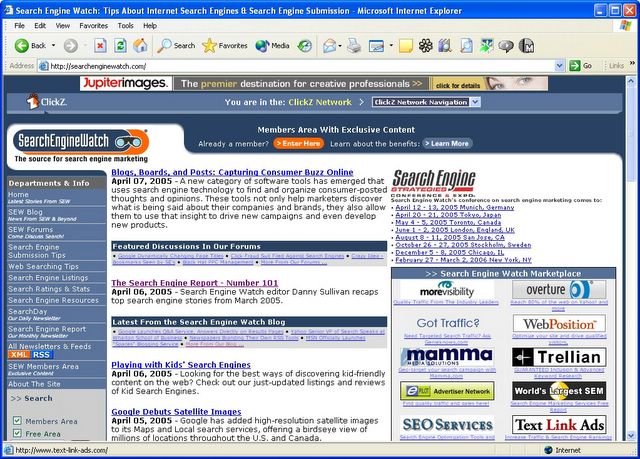
The Search Engine Report - Number 101


By Danny Sullivan, Editor
In This Issue
SES International!
Top Stories
More From The Search Engine Watch Blog
About The Newsletter


What the lsass.exe? Searching for Windows Processes
SearchDay, April 4, 2005

Ever wonder what all of those mysteriously-named Windows 'processes' are doing, and how they got loaded on your computer in the first place? Use the helpful ProcessLibrary.com to find out. This article explores more. (Search Types: Computers)

Looking for Links In All The Wrong Places?
SearchDay, March 29, 2005

In their frenzy to build links to curry favor with the major search engines, web site owners miss a far more important audience that's increasingly turning to topical search sites. (Link Building)

Writing for Search Engines
SearchDay, March 23, 2005

Success in search engines almost always means striking a delicate balance between applying search optimization techniques to web pages and creating high-quality, meaningful content. Effective writing for search engines is the key to achieving this balance. (SEO SEO: Meta Tags SEO: Site Design)…

http://searchenginewatch.com/sereport/article.php/3495881

Saturday, April 02, 2005

If You're Users Can Leave Comments,
You Have the Problem of Comment Spam.

By Ajit Monteiro

“Spam is no longer limited to email. If you run a Website on which you allow users to leave comments, you have undoubtedly faced the problem of comment spam.

The spammers' aim is not to redirect some of your traffic to their site, which is the obvious initial conclusion; it is to increase their (or their clients') ranking in search engines. Most search engines now count in a site's ranking how many other Websites have linked to it. By leaving comments on your site, the spammers' sites can achieve a slightly higher search engine ranking.

The spammers' job is to get around spam-blockers and target the security of individual Websites; though occasionally they do so on a manual basis, by far the most common forms of comment spam are achieved with spam "bots" or scripts. Unfortunately, many site owners don't focus on their Websites as their day job, which can make adapting to spam bots difficult.

Rules of Thumb

When you find that your site is the victim of comment spam, it's easy to react strongly, on a per-case basis, rather than look at the bigger picture. These Rules of Thumb should help you keep things in perspective.

The most important of these rules is: don't take it personally. Spammers don't want to degrade your site. They simply want to get people to their sites and make a larger profit.

http://www.sitepoint.com/print/stop-comment-spam

Friday, April 01, 2005

Symantec details flaws in its antivirus software | Tech News on ZDNet

By Matt Hines, CNET News.com

“Symantec has reported glitches in its antivirus software that could allow hackers to launch denial-of-service attacks on computers running the applications. In a notice posted on its Web site this week, Symantec detailed two similar vulnerabilities found in its Norton AntiVirus software, which is sold on its own or bundled in Norton Internet Security and Norton System Works. The flaws, which could lead to computers crashing or slowing severely if attacked, are limited to versions of the software released for 2004 and 2005.

The Information-Technology Promotion Agency of Japan, a government-affiliated tech watchdog group, identified the first instance of the problem in the AutoProtect feature of the Norton AntiVirus consumer product, Symantec said. AutoProtect is used to scan files for viruses, Trojan attacks and worms.”

The Information-Technology Promotion Agency of Japan, a government-affiliated tech watchdog group, identified the first instance of the problem in the AutoProtect feature of Norton AntiVirus. AutoProtect scans files for viruses, Trojans and worms.

Essentially Symantec's software crashes when it is asked to inspect a file specifically designed to exploit the flaw. The file could be submitted remotely from outside a system, or, internally by someone with physical access to a computer.

The second flaw, discovered by the Japan Computer Emergency Response team, can be used to launch denial-of-service attacks by scanning specific file modifications via the SmartScan feature of Norton AntiVirus. Malicious use of that vulnerability would specifically require someone with authorized access to a computer to exploit the issue. SmartScan is designed to scour for viruses hidden in file extensions, as well as in executable and document files.

No attacks related to either problem have been reported so far, according to Symantec.…

http://news.zdnet.com/2100-1009_22-5646871.html?tag=nl.e539

Thursday, March 31, 2005

Boys Wreck Ignition Part 2, Beyond Recognition

I don't understand the need to send messages to the other side of the planet to arrange to fix problems that can only be worked on by someone within the one to five thousand feet between your system an what they call a “central office.”

Over the last few years nearly 30,000 jobs at SBC have been lost. Virtually all of the growth jobs in Internet data services, installation of Wi-Fi hotspots, voice over the Internet (VOIP), DSL broadband and other areas, SBC work, amounting to thousands of jobs, is being outsourced, including going offshore to countries such as India and the Philippines.

"SBC continues to refuse to give this work to our members, the frontline workers who have built SBC into the nation's most profitable telecom company," said CWA President Morton Bahr. SBC's profits in 2003 were more than $8 billion.

http://www.cwa-union.org/news/PressReleaseDisplay.asp?ID=427

Google the terms SBC offshoring DSL and “voice recognition,” and my experience is almost mild compared to say Amanda Brenner's , but , strangely parallels her's, right down to the promise to call back that disappeared from the world as we know it.…

…Or nopaper.net :: start/2004-07-31/1 ...SBC's automated apologies. Our DSL is out right now (11am, ... SBC has implemented a voice recognition menu system, so I was asked to speak my…

It's truly amazing how complicated getting service can be.

It's going to get harder with the FCC helping the Big Guys crush their competition.

The FCC voted 3-2 to suspend public utility commission regulations in Florida, Georgia, Kentucky and Louisiana that had forced BellSouth to sell DSL service to other telephone operators, separate from its local phone service. In the past, the two services had been inextricably linked.

“"This FCC order continues progress on clearing out regulatory underbrush that handicaps rolling out broadband," Jonathan Banks, BellSouth vice president of federal executive and regulatory affairs, said in a statement. "By affirming a single national policy in this area, this FCC action will increase the speed and efficiency of bringing to consumers new and innovative broadband service offerings over wireline networks. This order is an important step in achieving the president's goal of increased broadband deployment."

A BellSouth spokesman couldn't immediately be reached Friday to discuss the fate of 8,000 or so BellSouth DSL customers in the four states. Aside from users of naked DSL services, an FCC decision would also affect "cord-cutters," a group of about 20 million U.S. residents who don't have local phone lines and go solo instead with their cell phones. As a result of the FCC ruling, cord-cutters may have to buy a local phone line to get DSL.

Providers of voice over Internet Protocol software--which lets an Internet connection serve as a telephone line--will also feel some pain, for the same reason as cord-cutters. VoIP calls are meant to replace phone lines sold by the Bells; and while they're possible with a dial-up connection, most VoIP operators require that users have a broadband connection to make full use of their offerings. As a result of the FCC ruling, some VoIPers must get DSL and a local phone line from a Bell, should a cable operator's more expensive broadband be unavailable in their area.

Meanwhile, my state representative's DSL line is down again, and I'm getting better at this Boy's Wreck Ignition thing.

http://techrepublic.com.com/2100-10587_11-5637790.html?tag=nl.e048

Saturday, March 26, 2005

Microsoft Baseline Security Analyzer
(MBSA) version 1.2.1 is available

“This article contains information about the Microsoft Baseline Security Analyzer tool (MBSA). This tool centrally scans Windows-based computers for common security misconfigurations and generates individual security reports for each computer that it scans. MBSA runs on computers that run Windows Server 2003, Windows 2000, and Windows XP. MBSA can scan for security vulnerabilities on computers that run Windows NT 4.0, Windows 2000, Windows XP, and Windows Server 2003. MBSA scans for common security misconfigurations in Windows, Internet Information Services (IIS), SQL Server, Internet Explorer, and Microsoft Office. MBSA also scans for missing security updates in Windows, IIS, SQL Server, Internet Explorer, Windows Media Player, Exchange Server, Microsoft Data Access Components (MDAC), Microsoft XML (MSXML), Microsoft virtual machine (VM), Content Management Server, Commerce Server, BizTalk Server, Host Integration Server, and Office (local scans only). A graphical user interface (GUI) and command-line interface are available in version 1.2.1.


MBSA version 1.1 replaced the stand-alone HFNetChk tool and fully exposes all HFNetChk switches in the MBSA command-line interface (Mbsacli.exe). For additional information about MBSA, visit the following Microsoft Web site:

Download Information

English, French, German, and Japanese versions of MBSA are available from the Microsoft Download Center. Visit the following the MBSA Web page for direct links to download these versions: For additional information about how to download Microsoft Support files, click the following article number to view the article in the Microsoft Knowledge Base:
119591 How to obtain Microsoft support files from online services
Microsoft scanned this file for viruses. Microsoft used the most current virus-detection software that was available on the date that the file was posted. The file is stored on security-enhanced servers that help to prevent any unauthorized changes to the file. ”
‘’…
http://support.microsoft.com/default.aspx?scid=kb;en-us;320454

Back up, Edit, and Restore the Registry in Windows XP

“SUMMARY

Important This article contains information about modifying the registry. Before you modify the registry, make sure to back it up and make sure that you understand how to restore the registry if a problem occurs. For information about how to back up, restore, and edit the registry, click the following article number to view the article in the Microsoft Knowledge Base:
256986 Description of the Microsoft Windows Registry
NoteThe registry in 64-bit versions of Windows XP and Windows Server 2003 is divided into 32-bit and 64-bit subkeys. Many of the 32-bit subkeys have the same names as their 64-bit counterparts, and vice versa. The default 64-bit version of Registry Editor that is included with 64-bit versions of Windows XP and Windows Server 2003 displays the 32-bit subkeys in the following registry subkey, or "hive":
HKEY_LOCAL_MACHINE\SOFTWARE\WOW6432Node
For additional information about how to view the registry on 64-bit versions of Windows, click the following article number to view the article in the Microsoft Knowledge Base:
305097 How to view the system registry by using 64-bit versions of Windows

REFERENCES

314837 How to manage remote access to the registry
310595 Description of HKEY_CURRENT_USER registry subkeys
310593 Description of the RunOnceEx registry key
307545 How to recover from a corrupted registry that prevents Windows XP from starting
286422 How to back up and restore a Windows Server 2003 cluster
104169 Files that are automatically skipped by the backup program (NTBackup.exe) during the backup and restore processes
310426 How to use the Windows XP and Windows Server 2003 Registry Editor features ”

For a Microsoft Windows 2000 version of this article, see 322755.
For a Microsoft Windows NT 4.0 version of this article, see 323170.
For a Microsoft Windows 95, 98, and Millennium Edition version of this article, see 322754.

http://support.microsoft.com/kb/322756

Friday, March 25, 2005

The six dumbest ways to secure a wireless LAN

by ZDNet's George Ou

For the last three years, I've been meaning to put to rest once and for all the urban legends and myths on wireless LAN security. Every time I write an article or blog on wireless LAN security, someone has to come along and regurgitate one of these myths. If that weren't bad enough, many "so called" security experts propagated these myths through speaking engagements and publications and many continue to this day. Many wireless LAN equipment makers continue to recommend many of these schemes to this day. One would think that the fact that none of these schemes made it in to the official IEEE 802.11i security standard would give a clue to their effectiveness, but time and time again ...”

http://blogs.zdnet.com/Ou/index.php?p=43

Mozilla fixes risky Firefox flaw

By Robert Lemos, CNET News.com

The Mozilla Foundation issued a patch for a major security flaw in its Firefox browser on Wednesday and advised people to update their software.

The problem is caused by a buffer overflow in legacy Netscape code still included in the browser for animating GIF images, Chris Hofmann, director of engineering for Mozilla, said. Similar memory problems have affected Mozilla's browsers and Microsoft's Internet Explorer in the past. A malicious attacker could exploit them by creating carefully crafted image files that, when viewed by a victim in a browser, execute a program and compromise the system.

The flaw was discovered by Internet Security Systems, a network protection company, and patched before the public learned of the issue, Hofmann said.

"We are staying ahead and being proactive in fixing the code," he said. "The deciding factor, in this case, was the potential for this: It's a little easier for hackers to turn it into an exploit that could be dangerous."

The Mozilla Foundation released version 1.02 of Firefox on Wednesday to fix the problem and asked that all users to download and apply the patch.

Recently published data has prompted questions about the security of Firefox. Security technology provider Symantec said in this week's Internet Threat Report that during the second half of last year, 21 vulnerabilities affected Mozilla browsers and 13 flaws affected Internet Explorer.

However, only seven of the flaws in Firefox were considered "highly severe," compared with nine in Internet Explorer.”

http://news.zdnet.com/2100-1009_22-5632148.html?tag=nl.e589

Thursday, March 24, 2005

Father of Word and Excel shoots for three-peat with Intentional Software

by ZDNet's David Berlind
Father of Word and Excel shoots for three-peat with Intentional Software

-- Like the blockbuster movie producer or director who works behind the scenes but whose celebrity is often confined to Hollywood insiders, Dr. Charles Simonyi is a giant among giants here at PC Forum in Scottsdale, Ariz. If you strike up a conversation with the easily approachable, mild-mannered, Hungarian-born software legend and passers-by such as Jeff Bezos (founder of Amazon.com) or Tim O'Reilly detect that Simonyi is even slightly engaged, they'll stop and tune-in.After leaving Xerox PARC, Simonyi joined Microsoft in 1981 and fathered two of the three biggest franchises in Microsoft's history -- Word and Excel. After a storied 21-year tenure with the Redmond, Wash.-based company, Simonyi is looking for a three-peat. But this time, it's not with Microsoft....
Trackback URL for this post: http://blogs.zdnet.com/BTL/wp-trackback.php/1190

http://blogs.zdnet.com/BTL/index.php?p=1190&tag=nl.e539

Monday, March 21, 2005

“Description of the undiscovered tips about Excel

Join text in multiple columns
Set the print area
Exclude duplicate items in a list
Multiply text values by 1 to change text to numbers
Use the Text Import Wizard to change text to numbers
Sort decimal numbers in an outline
Use a data form to add records to a list
Enter the current date or time
View the arguments in a formula
Enter the same text or formula in a range of cells
Link a text box to data in a cell
Link a picture to a cell range
Troubleshoot a long formula
View a graphical map of a defined name
Fill blank cells in a column with contents from a previous cell
Switch from a relative reference to an absolute reference
Use the OFFSET function to modify data in cells that are inserted
Use the Advanced Filter command
Use conditional sums to total data
Use conditional sums to count data
Use the INDEX function and the MATCH function to look up data
Drag the fill handle to create a number series
Automatically fill data
Use the VLOOKUP function with unsorted data
Return every third number
Round to the nearest penny
Install and use Microsoft Excel Help
Do not open and save directly from a floppy disk
Use one keystroke to create a new chart or worksheet
Set up multiple print areas on the same worksheet

http://support.microsoft.com/default.aspx?scid=kb;en-us;843504

Sunday, March 20, 2005

They should call it "Boys Wreck Ignition"

By Alfred Ingram

Remember when ‘touch tone terror’ first entered our lives?

In all innocence we called a bank, or a pharmacy, or, most likely, the dtmf (dual tone multi frequency)-ing phone company itself, got a menu of choices too long to remember, started over and became even more confused the second time around.

Remember finally giving up in total frustration, perhaps even paying a charge we just knew was wrong?

Well they've fouled it up beyond all “wreck ignition,” again.

SBC has managed to do the barely possible, crossbreed help desk hell with touch tone hell, add a not ready for public technical capability, and give birth to voice recognition that has a hard time recognizing standard english.

Anyway, that's what I discovered when I had both a dead router and a bad DSL line and had to contact SBCYahoo for service at my State Representative's office.

Of course, now that I, along with the rest of the industrializedworld, am used to punching the keypad for menu selections, I wasn't able to do so.

The first day a total waste because SBC couldn't identify the state representative as a DSL customer. I'd say the number of the phone I was calling from (whatever happened to caller id?) and the machine consistently read back a number I'd never given it, finally driving me to hang up to try again the next day.

On day two I decided to call on from the half of the line (DSL splits a standard line) that wasn't hooked to the router and wound up talking to someone with an Indian accent who “insisted” that his name was “Matt.” That's when I discovered that I had a bad router, a bad line, and a help desk on another continent. After checking the line “Matt” told me they'd known of the problem for a week, but, apparently, doing anything about it called for someone on this side of the planet.

“Matt” arranged for SBC to call the next day at eleven, (so somone here in the United States could analyse the problem) so of course no one called. When I called to find out why, they claimed to be waiting for my call. “Matt” from India was not available to verify or deny either side of this foul up.

more coming soon…

Saturday, March 19, 2005

The Failure of Two-Factor Authentication

Schneier on Security

“Two-factor authentication isn't our savior. It won't defend against phishing. It's not going to prevent identity theft. It's not going to secure online accounts from fraudulent transactions. It solves the security problems we had ten years ago, not the security problems we have today.

The problem with passwords is that they're too easy to lose control of. People give them to other people. People write them down, and other people read them. People send them in e-mail, and that e-mail is intercepted. People use them to log into remote servers, and their communications are eavesdropped on. They're also easy to guess. And once any of that happens, the password no longer works as an authentication token because you can't be sure who is typing that password in.

Two-factor authentication mitigates this problem. If your password includes a number that changes every minute, or a unique reply to a random challenge, then it's harder for someone else to intercept. You can't write down the ever-changing part. An intercepted password won't be good the next time it's needed. And a two-factor password is harder to guess. Sure, someone can always give his password and token to his secretary, but no solution is foolproof.

These tokens have been around for at least two decades, but it's only recently that they have gotten mass-market attention. AOL is rolling them out. Some banks are issuing them to customers, and even more are talking about doing it. It seems that corporations are finally waking up to the fact that passwords don't provide adequate security, and are hoping that two-factor authentication will fix their problems.

Unfortunately, the nature of attacks has changed over those two decades. Back then, the threats were all passive: eavesdropping and offline password guessing. Today, the threats are more active: phishing and Trojan horses.

http://www.schneier.com/blog/archives/
2005/03/the_failure_of.html

Friday, March 18, 2005

Adobe Pushes DNG Image Format

By Kathy White

“Many photographers work in RAW-format files from their
digital cameras and are frustrated by the many versions out
there—varying not just from manufacturer to manufacturer but also from
camera to camera. But Adobe is trying to solve that problem with its
Digital Negative Specification.

Adobe Systems Inc. in September 2004 introduced DNG, a public format
for RAW digital camera files, along with a free software tool, Adobe
DNG Converter, which translates many of the RAW photo formats (images
before any in-camera processing) used today into the new DNG file
format.

Adobe is also letting any manufacturer that wants to use the format in
its cameras, printers and software applications do that for free
without any limitations in the hopes of encouraging them to accept it
as the standard.

Shooting RAW images means photographers can avoid dealing with the
compression and loss of image quality involved with shooting JPEGs.
But with that change comes the problem that Adobe has addressed: Each
manufacturer uses a proprietary format that is specific to its cameras
and might not be compatible with Adobe's Photoshop or other editing
software.

The Digital Negative Specification, Adobe hopes, will become the
single format, allowing users to store information from a diverse
range of cameras.

http://www.publish.com/article2/0,1759,1776862,00.asp

Alternative Browsers and Java Lead Spyware to IE

By Michael Myser
“Windows and Microsoft products are going to be the first targets because they're so ubiquitous. Other applications will become targets as they become more popular.”
According Christopher Boyd, the Vitalsecurity.org researcher, versions of alternative browsers including Firefox, Mozilla, Netscape and Avant all allow the execution of code within IE.…

“A malicious batch of adware and spyware has appeared that can use Firefox and other alternative browsers to infect Microsoft's IE.

According to a researcher at Vitalsecurity.org in the United Kingdom, if a user visits a site hosting the malicious code and agrees to install the applications despite security warnings, Internet Explorer will automatically run and deluge the computer with pop-up ads and offers, regardless of IE security settings.

While the security and infection threat is relatively low—in addition to the security warnings, the code only affects users of Sun's JRE (Java Runtime Environment), and so far is only found at a Neil Diamond lyrics site—it illustrates the continued expansion of malicious code targeting alternative browsers, as well as a unique cross-browser capability.

"Firefox will retain an edge in security for some time, but the notion that you'll be impervious to threats due to using Firefox is an illusion," said Jim Slaby, a senior analyst with the Yankee Group.

"The criminal element has decided that it's profitable enough to write malware that targets it."

This code, however, doesn't work only through Firefox to get at IE.…”

http://www.eweek.com/article2/0,1759,1776347,00.asp

Wednesday, March 16, 2005

How to Record a Podcast

by Glenn Fleishman
“Podcasting involves two distinct tasks. First you have to record the audio and prepare it for listening. Then you need to syndicate it via RSS so others can subscribe to your programs. In this tutorial, Glenn Fleishman shows you some nifty tricks for recording your audio, especially if you want to capture phone interviews for syndication.”

http://www.macdevcenter.com/pub/a/mac/2005/01/25/podcast.html

Frequently asked questions about the automated
portion of the Microsoft Protect Your PC Web site

“This article contains a list of answers to frequently asked questions (FAQ) about the automated portion of the Microsoft Protect Your PC Web site.”

Q1: What is the automated portion of the Protect Web site?
Q2: How do I access the automated portion of the Protect Your PC Web site?
Q3: What versions of Windows does the automated portion of the Protect Your PC Web site Support?
Q4: Who should use the automated portion of the Protect Your PC Web site?
Q5: What credentials must my account have to use the automated portion of the Protect Your PC Web site?
Q6: How does the automated portion of the Protect Your PC Web site work?
Q7: What does each step of the automated portion of the Protect Your PC Web site Do?
Q8: After I turn on ICF/WF, some of my games and other programs do not work correctly. How can I work around this?
Q9: Where can I find more information about the automated portion of the Protect Your PC Web site?


http://support.microsoft.com/default.aspx?scid=kb;en-us;828931

Saturday, March 12, 2005

Has Your Address Been Spoofed?

Deb Shinder, Editor WinXPnews
“Are you getting e-mail messages from administrators of other mail domains, notifying you that the messages you sent were undeliverable? When you open these, do you find that you never sent a message to the supposed recipient? Sometimes these messages indicate that you have a virus sending e-mail from your account without your knowledge. Other times, though, the mail didn't come from your account at all - instead, somebody spoofed your e-mail address and used it as their return address.

Either way, it's more than just an anomaly or an annoyance. If your address is used to send spam, it may be reported to various "spam cop" organizations, resulting in your address - or even your entire domain - being added to various public blacklists of known spammers. And that means the legitimate e-mail you send won't get through to a lot of recipients. Not a good situation. You can read more about how e-mail spoofing is done in my article at http://www.winxpnews.com/rd/rd.cfm?id=050308ED-Spoofing.

What can you do about it? The federal CAN SPAM Act makes it illegal to send unsolicited commercial e-mail with false or misleading headers (return addresses). Unfortunately, you can't prosecute someone for this or any other crime unless you know who the perpetrator is.

Okay, what if your name ends up on a black list? Is there anything you can do about that? The answer is: sometimes. There are many different black lists, so the first challenge is to find out which list(s) are identifying you as a spammer. There is a list of some black lists at http://www.winxpnews.com/rd/rd.cfm?id=050308ED-Black_Lists. In some cases, you can write to those who maintain the lists and explain what happened and ask to have your address removed. Here is an article that contains info on how to get off of specific blacklists: http://www.winxpnews.com/rd/rd.cfm?id=050308S1-Off_Blacklists. Have you been blacklisted? If others are telling you that your e-mails don't reach them, it might be because you're on a blacklist. Many ISPs use blacklists to block spam at the server level.”

http://www.winxpnews.com/?id=166

Understanding E-mail Spoofing

Deb Shinder
“Spam and e-mail-laden viruses can take a lot of the fun and utility out of electronic communications, but at least you can trust e-mail that comes from people you know – except when you can’t. A favorite technique of spammers and other “bad guys” is to “spoof” their return e-mail addresses, making it look as if the mail came from someone else. In effect, this is a form of identity theft, as the sender pretends to be someone else in order to persuade the recipient to do something (from simply opening the message to sending money or revealing personal information). In this article, we look at how e-mail spoofing works and what can be done about it, examining such solutions as the Sender Policy Framework (SPF) and Microsoft’s Sender ID, which is based on it.

If you receive a snail mail letter, you look to the return address in the top left corner as an indicator of where it originated. However, the sender could write any name and address there; you have no assurance that the letter really is from that person and address. E-mail messages contain return addresses, too – but they can likewise be deliberately misleading, or “spoofed.” Senders do this for various reasons, including:

  • The e-mail is spam and the sender doesn’t want to be subjected to anti-spam laws
  • The e-mail constitutes a violation of some other law (for example, it is threatening or harassing)
  • The e-mail contains a virus or Trojan and the sender believes you are more likely to open it if it appears to be from someone you know
  • The e-mail requests information that you might be willing to give to the person the sender is pretending to be (for example, a sender might pose as your company’s system administrator and ask for your network password), as part of a “social engineering” attack
  • The sender is attempting to cause trouble for someone by pretending to be that person (for example, to make it look as though a political rival or personal enemy said something he/she didn’t in an e-mail message)

Note:
“Phishing” – the practice of attempting to obtain users’ credit card or online banking information, often incorporates e-mail spoofing. For example, a “phisher” may send e-mail that looks as if it comes from the bank’s or credit card’s administrative department, asking the user to log onto a Web page (which purports to be the bank’s or credit card company’s site but really is set up by the “phisher”) and enter passwords, account numbers, and other personal information.

Whatever the motivation, the objective of spoofed mail is to hide the real identity of the sender. This can be done because the Simple Mail Transfer Protocol (SMTP) does not require authentication (unlike some other, more secure protocols). A sender can use a fictitious return address or a valid address that belongs to someone else.

Receiving mail from spoofed addresses ranges from annoying to dangerous (if you’re taken in by a “phisher”). Having your own address spoofed can be even worse. If a spammer uses your address as the return address, you may suddenly find yourself inundated with angry complaints from recipients or even have your address added to “spammer” lists that results in your mail being banned from many servers.

http://www.windowsecurity.com/articles/Email-Spoofing.html

Friday, March 11, 2005

Finding Free Content in the Creative Commons

By Chris Sherman, Associate Editor Searchday
Looking for photos, music, text, books and other content that's free to share or modify for your own purposes? The Creative Commons search engine can help you find tons of (legally) free stuff on the web.

The Creative Commons was founded in 2001 to introduce a new form of copyright that's less restrictive than the "all rights reserved" approach generally in practice today. The goal was to restore "balance, compromise, and moderation—once the driving forces of a copyright system that valued innovation and protection equally."

By using a Creative Commons license, content creators adopt a "some rights reserved" form of copyright that encourages sharing and modifying content by others.

Today, the Creative Commons organization estimates that more than 5 million web sites link to its license. That's a lot of content, most of which is available for free or nominal charge.

The Creative Commons search engine (powered by Nutch, which we've previously covered) makes it easy to find this content. You can search for Creative Commons audio, images, text, video, and other formats that are free to share online.

You can also limit your search to works that you are free to modify, adapt, or build upon, or even use for commercial purposes.

http://searchenginewatch.com/searchday/article.php/3487206

4 steps to take if you've responded to a phishing scam

“What to do if you've responded to a phishing scam

You can do your best to prevent having your identity stolen by a phishing scam, but no method or system can guarantee total safety and security.

If you suspect that you've already responded to a phishing scam with personal or financial information or entered this information into a fake Web site, there may be ways you can minimize any damage.”

http://www.microsoft.com/athome/security/email/phishingrespond.mspx

5 don'ts and 3 do's for handling spam e-mail

“Despite your best efforts, you no doubt have received e-mail and instant messages you didn't ask for. Here's what you can do about all that junk.…

Beware of fake e-mail

Thieves use a method known as phishing to send e-mail or instant message spam that meticulously imitates messages from reputable, well-known companies, including Microsoft and others. The forged message capitalizes on your trust of the respected brand by enticing you to click a link on a Web page or in a pop-up window. Clicking it could download a virus or lead you to reveal confidential information such as account and Social Security numbers. Get more details from our video on phishing. ”

http://www.microsoft.com/athome/security/email/options.mspx

Using Microsoft Windows AntiSpyware (Beta)

“Microsoft Windows AntiSpyware (Beta) is a new security technology that helps to protect your computer from spyware and other unwanted software. You can manually scan your computer for spyware or schedule the program to perform a scan automatically on a regular basis at any time.

How to install and set up Windows AntiSpyware (Beta)
How to scan your computer for spyware
How to help remove spyware from your computer
How to set up a scheduled spyware scan
Understanding real-time protection


http://www.microsoft.com/athome/security/spyware/software/howto/default.mspx

Wednesday, March 09, 2005

Microsoft Patches Windows 98, ME Flaws

By Ryan Naraine
“Microsoft Corp. on Tuesday updated two previously released bulletins to add critical security fixes for customers running Windows 98, 98SE and ME.

Patches for Windows 98 and ME are a "bonus" because of the critical nature of the vulnerabilities being addressed, a Microsoft spokeswoman said. "Those products are out of lifecycle, but we made a commitment to provide critical updates, and that's what you're seeing."

She said priority was given to rolling out patches for supported products. "After further testing on the out-of-lifecycle platforms, we updated the advisories." The patches cover two remote code execution vulnerabilities.

First, MS05-002, fixes a hole in the cursor and icon format handling feature that could open the door for an attacker to take complete control of an affected system.

Microsoft also added patches to MS05-015 to protect users against a remote code execution vulnerability in the Hyperlink Object Library.”

http://www.eweek.com/article2/0,1759,1774106,00.asp?kc=ewnws030905dtx1k0000599

Sunday, March 06, 2005

Shooting Web video:
How to put your readers at the scene

By Regina McCombs
Freelance writers, bloggers and independent journalists yearning to use video on the Internet, grab your PDAs. Use these tips to help you begin shooting and editing your own Web video stories.
“As anyone who’s ever watched a great documentary knows, stories told in video can be amazingly powerful. And as anyone who has sat through home movies knows, they can be mind-numbingly boring as well. If you’re a freelance writer, a blogger or an independent journalist with a story to tell in video, there are steps you can take to make sure your story tilts more toward the powerful than the sleep-inducing. (See Sonya Doctorian's video essays for RockyMountainNews.com.)

The story

First, it’s about content. One of the great things about the Web is that there are so many tools at our fingertips. We can use text, animated graphics, photos, audio or video to tell a story. But that means we need to be thoughtful about which we choose. Video is experiential, immersive, emotional – it puts you at the scene, gives flavor and personality, and of course, shows motion.

Video isn’t cheap in terms of time or equipment. Shooting, editing and posting video all demand more effort and gear than text. So first you need to decide why you want to tell a video story, and then you can gather what you will need to get video on the Web.

If you’re just interested in posting video from your Webcam, this article is not for you. Check out audioblog.com or Vlog it! from seriousmagic.com. Here, we’re going to talk about taking your camera out into the world and shooting video.

A common storytelling exercise is to state your story in one sentence, using an active verb. Who is doing what? “Neighborhood garbage burner” is not a story. On the other hand, “Neighbors hate the smelly garbage burner” has real potential.

Refining your story into a sentence helps focus your idea and keeps you from shooting everything that might have only a tangential relationship to the main idea. If it’s your first time out, start small. Really small. Simple, interesting stories deserve to be told, and they won’t make you insane while you deal with the steep video learning curve.

Cameras should be DV with firewire. If not, you’ll need additional hardware to capture video to your computer. There are plenty of good microphones available for under $100. A tripod is important because keeping shots steady is critical for Web encoded video. Every change in pixels makes the encoder work harder and makes your picture fuzzier.

A list of audio and video equipment options at several price points is available here on Visual Edge's site.

http://www.jr.org/ojr/stories/050303mccombs/

Saturday, March 05, 2005

Display Local Weather Forecasts
with the NOAA's Web Service

By Scott Mitchell
“In December 2004 the National Oceanic and Atmosphere Administration (NOAA) unveiled a Web service for accessing weather forecasts for locations within the United States. The Web service provides two methods:
  • NDFDgen(latitude, longitude, detailLevel, startTime, endTime, weatherParametersToReturn) - returns a range of weather information for a particular latitude and longitude between a start and end time. The weatherParametersToReturn input parameter dictates what weather information should be returned, such as: maximum temperature, minimum temperature, three hour temperature, snowfall amount, wind speed, and so on.
  • NDFDgenByDay(latitude, longitude, hourlyFormat, startDate, numberOfDays) - returns 12-hour or 24-hour weather information for a particular latitude/longitude starting from a certain date and extending a specified number of dates into the future.
Assuming the latitude and longitude are in the NOAA's database, the Web service returns an XML document that contains a variety of weather information for the dates specified, based on the parameters passed into the Web service. (For more detailed information on the NOAA's Web service, refer to http://www.nws.noaa.gov/forecasts/xml/.)

When reading up on this new Web service, I stumbled across Mikhail Arkhipov's blog entry titled Weather Forecast ASP.NET User Control, which provides a User Control written in C# for displaying the seven-day forecast for a particular latitude and longitude. While Mikhail's User Control definitely fit the bill for a simple forecast display in a C# Web application, I was tempted to provide similar functionality in a custom, compiled server control, which would allow the weather forecasts to be displayed in VB.NET Web applications as well. Additionally, I wanted to add some additional customization not found in Mikhail's solution.

The remainder of this article examines my custom control, MultiDayForecast

http://aspnet.4guysfromrolla.com/articles/030205-1.aspx

Friday, March 04, 2005

Reusable Dakota Camera Can Be a Hacker's Bargain

“Do you think basic digital camera features should be more affordable? So do I. Start with a trip to your local Ritz Camera or discount store and pick up a $20 reusable Dakota digital camera. You're supposed to buy a Dakota, use it, and then return it to the store to get your images printed. But with a few hacks, you can get the pictures out yourself.

John Maushammer has the Dakota well documented at his Web site http://www.maushammer.com/systems/dakotadigital/DakotaDigital.html, with details on how to hack a USB connection onto the camera http://www.maushammer.com/systems/dakotadigital/usb-cable.html. Once you can get pictures off the Dakota, click here http://www.balerdi.com.ar/dakota/ for instructions on removing the camera's built-in software limit of 25 pictures.”

http://www.pcworld.com/howto/article/0,aid,119267,pg,6,00.asp

Strategies of Computer Worms

“Advances in programming have brought many conveniences to our
lives, but they have also given cyber-criminals increasingly
sophisticated ways to commit crimes. This chapter describes the nature
and evolution of the computer worm, from simple beginning to modern
Bluetooth travelling cellphone worms.”

http://www.informit.com/articles/article.asp?p=366891

Wednesday, March 02, 2005

identity theft made even easier

Alarm over pharming attacks:
By Robert Vamosi
“Hopefully, we've all become wise to phishing attacks, so named because they cast the bait (via e-mail) and if you bite, they can lure your personal information out of you. These scams are now fairly recognizable and usually arrive as a note from a bank asking you to go to its site (link provided, of course) to reenter your most personal information. The fact that a bank wouldn't really need your mother's maiden name might tip you off. Most likely, though, you spot the misspellings in this bogus e-mail, or you're otherwise savvy to the identity theft scam and immediately trash these messages unread.

So what if I told you phishing is just kid stuff compared to what's coming next?

Pharming is simply a new name for a relatively old concept: domain spoofing. Rather than spamming you with e-mail requests, pharmers work quietly in the background, "poisoning" your local DNS server by redirecting your Web request somewhere else. As far as your browser's concerned, you're connected to the right site. The danger here is that you no longer have to click an e-mail link to hand over your personal information to identity thieves.

To understand pharming, you need a little background on DNS. Throughout the Internet, a series of domain name servers (DNS) quietly resolve the familiar addresses you type into specific Internet addresses. These servers are basically large directories of common names such as Amazon, Google, and Microsoft, and IP-specific addresses that you never see. For example, if you type www.cnet.com, this request goes to your nearest DNS server, which then locates the registered Internet address for the Web server at CNET Networks. It's much more convenient than always remembering 222.123.0.0 or something similar.

However, this translation is also a weak link in the Internet's infrastructure. With every Internet request first bouncing off a DNS server somewhere on the planet, criminal hackers realized (some time ago) that rather than flooding a specific domain and effectively hiding it from the rest of the world (in what's known as a denial-of-service attack), they can either change the DNS record or take down the DNS system all together.

DNS poisoning is a whole different kettle of fish (so to speak), and much more subtle than what I just described. When a cracker poisons a DNS server, he or she changes the specific record for a domain, sending you to a Web site very different from the one you intended to access--without your knowledge. Usually, the cracker does this by posing as an official who has the authority to change the destination of a domain name. DNS poisoning is also possible via software vulnerability, however. A white paper by Joe Stewart from the security company Lurhq and published on SecurityFocus offers more about DNS poisoning, including its history.

In January of 2005, someone fraudulently changed the DNS address for the domain panix.com, a New York State Internet service provider. Ownership of the company was changed from New York to Australia. Requests to reach the panix.com server were redirected to the United Kingdom, and e-mail was redirected to Canada. State and federal authorities are currently investing this case.

Prior to that, in September 2004, a teenager in Germany managed to hijack the domain for eBay.de. I could go on. Other attacks have targeted Amazon.com and Google.com. There were no immediate reports of identity theft resulting from these specific events.

http://reviews.cnet.com/4520-3513_7-5670780-1.html?tag=nl.e501

Tuesday, March 01, 2005

Google Toolbar's AutoLink

& The Need For Opt-Out

“AutoLink is new feature in the new third version of Google's popular Google Toolbar that's raised controversy since it was released last week. Why are publishers upset? Can they block the feature that adds links to their web pages? Who rules over content, users or publishers? Why do I think Google should give publishers an opt-out for the feature. That, and other issues, we'll explore in this article. It's a long one, so the links below will let you jump to particular sections, if you prefer.

Google's new Beta Toolbar includes a feature called 'AutoLink'. The toolbar scans through the current Web page and links any addresses or ISBN numbers to Google's services. This script will stop the toolbar from placing a link in the Web page.
The JavaScript Source: Miscellaneous: AutoBlink http://javascript.internet.com/miscellaneous/autoblink.html

http://blog.searchenginewatch.com/blog/050225-104317